Normalization
In many cases, intensity normalisation corrections are required. In the figure below Intensity of the upper and lower parts drastically differs, and it needs correction.
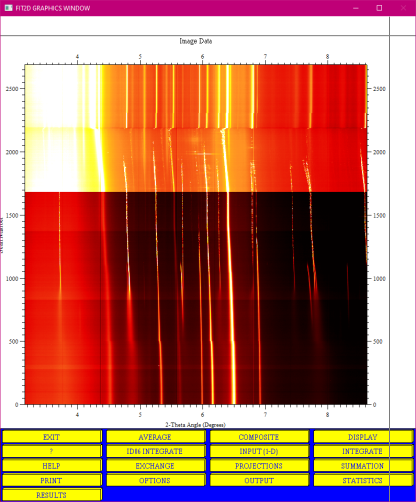
Once your data is already constructed with "FILE SERIES" or "COMPOSITE" run the "MACRO" (see bold comments):
%!*\ BEGINNING OF GUI MACRO FILE
%!*\
%!*\ Your data array is already constructed with [FILE SERIES][COMPOSITE]
%!*\ or with [FILE SERIES][INPUT 1-D]
%!*\ or with [IMAGE PROCESSING][INPUT] or whatever else works
%!*\ AND that a suitable x range has been selected for normalisation (#LEFTPIX and #RIGHTPIX)
%!*\ AND that the start y and end y are known (these are not transferred to variables)
%!*\ DO NOT do this on directly rebinned data - save it (not f2d) and reopen
EXIT
KEYBOARD
VARIABLE
#MAXPIX
INTEGER
8729 %!*\number of bins
VARIABLE
%!*\ FLOAT or INTEGER depending if scale is in 2TH or px
#LEFTPIX
FLOAT
3.6 %!*\This is the mimimum 2theta value of the zoomed region to be used for normalisation
%!*\ FLOAT or INTEGER depending if scale is in 2TH or px
VARIABLE
#RIGHTPIX
FLOAT
3.65 %!*\This is the maximum 2theta value of the zoomed region to be used for normalisation
VARIABLE
#STARTLINE
INTEGER
0
VARIABLE
#ENDLINE
INTEGER
2690 %!*\This is the maximum number of the data to be used for normalisation (number of files)
EXIT
KEYBOARD
DO #COUNT = #STARTLINE, #ENDLINE, 1
calculator
#COUNT
1
+
VARIABLE
#NEXTCOUNT
EXIT
EXIT
IMAGE PROCESSING
FULL
MATHS
STATISTICS
4
#LEFTPIX
#COUNT
#RIGHTPIX
#COUNT
#RIGHTPIX
#NEXTCOUNT
#LEFTPIX
#NEXTCOUNT
O.K.
EXIT
FULL
ZOOM IN
2
0
#COUNT
#MAXPIX
#COUNT
MATHS
SCALAR /
##MEAN
SCALAR *
1000
EXIT
FULL
EXIT
KEYBOARD
END DO
EXIT
IMAGE PROCESSING
%!*\ END OF IO MACRO FILE
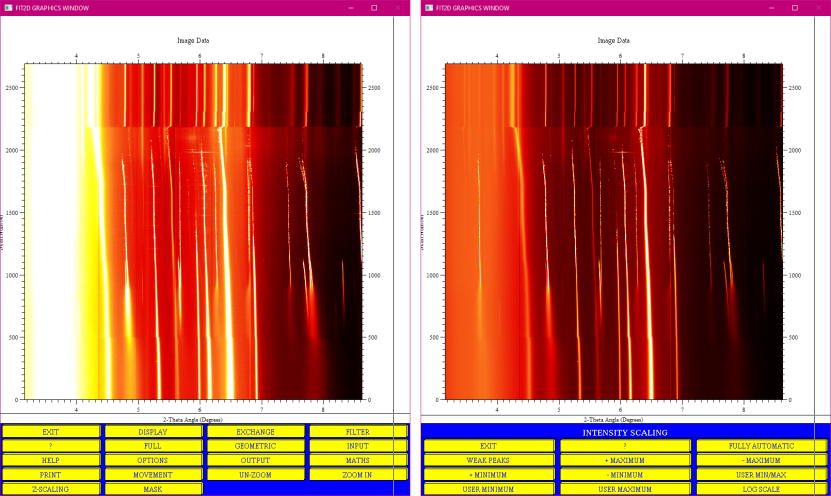
Resulted image is shown below (left side), also play with "Z-SCALING" and improve the image (right side):
partners


European Synchrotron Radiation Facility - 71, avenue des Martyrs, CS 40220, 38043 Grenoble Cedex 9, France.